|
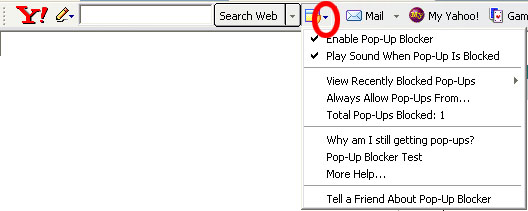
- Click on the Yahoo Toolbar's popup blocker icon option arrow. This
arrow is pointing down beside of the popup blocker icon
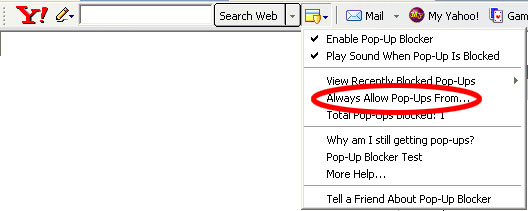
- Click on the menu option "Always Allow Pop-Ups From..."
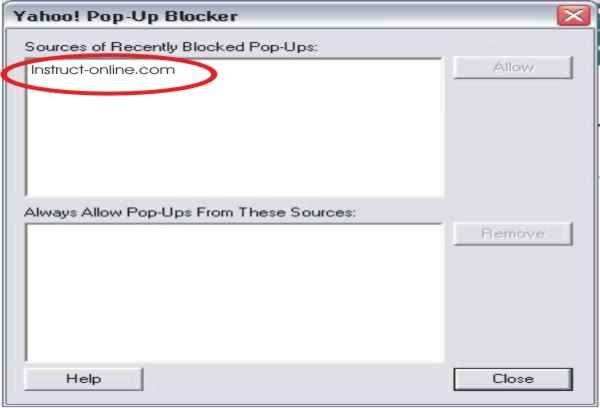
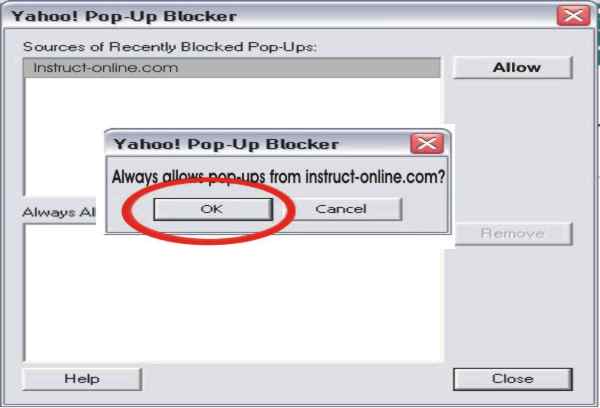
- Locate "instruct-online.com" from the "Sources of
Recently Blocked Pop-Ups:" list box. Single click on "instruct-online.com".
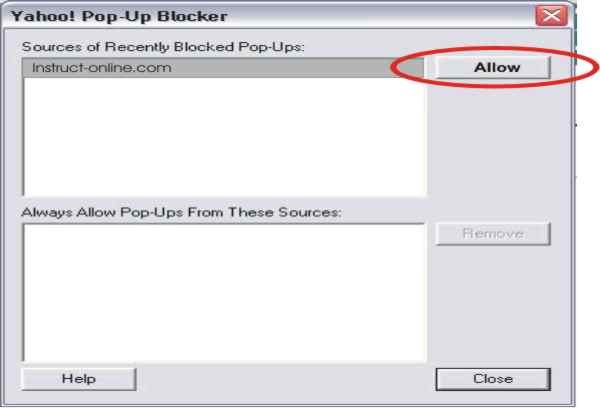
- Single-click the "Allow" button.
- Single-click the "Ok" button when asked to confirm allowing
of pop-ups from instruct-online.com.
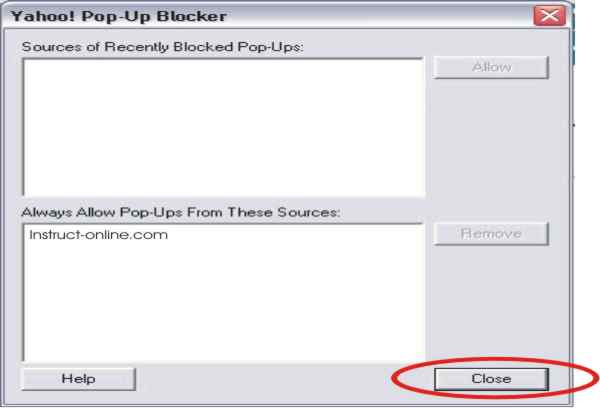
- Single-click the "Close" button. This will now allow you to
take an Instruct-online self-study or test.
- You can re-enable the blocker after you have completed your
self-study or test.
|
|